sudo add-apt-repository ppa:mozillateam/firefox-stable
sudo apt-get update
sudo apt-get upgrade
richliu 發表在 痞客邦 留言(0) 人氣(68)
CCLD libpangoft2-1.0.la
CC pangoxft-font.lo
CC pangoxft-fontmap.lo
CC pangoxft-render.lo
CCLD libpangoxft-1.0.la
/bin/sed: can't read /usr/lib/libX11.la: No such file or directory
libtool: link: `/usr/lib/libX11.la' is not a valid libtool archive
make[4]: *** [libpangoxft-1.0.la] Error 1
richliu 發表在 痞客邦 留言(0) 人氣(523)
I experienced the same problem myself; fortunately, the solution is
simple. For some reason, the default value of some of the registry keys
(not all) were changed in windows 7, which causes the system to
apparently ignore the InitialKeyboardIndicators settings
in the other locations. All that is requireded is the performance of a
search of the registry using regedit for that key. It is important to
use the find function to locate ALL keyboard keys forInitialKeyboardIndicators and set them to the
same value setting. The value options are as follows:
richliu 發表在 痞客邦 留言(0) 人氣(852)
最近 Windows Live Message 出現了很煩人的廣告, 我是不介意免費的東西有廣告這件事.
不過當滑鼠經過上方的時候, 會自動跳出一個視窗播廣告是那招呀?
解決方案也很簡單,
richliu 發表在 痞客邦 留言(1) 人氣(270)
拿來產生 format 過的 Patch 很好用 .
還可以直接輸出到目錄.
ex:
$ git format-patch 7ef30fa2c707e59590dfe44c184cf0066747c0e8..e9623f0e67f6cbd1aeb8d3c6d5d2503c06d15d15 -o /data/output
richliu 發表在 痞客邦 留言(0) 人氣(3,124)
http://www.mail-archive.com/debian-kernel@lists.debian.org/msg48804.html
In file included from /home/waldeck/kvm-88/hw/scsi-generic.c:45:
/usr/include/scsi/scsi.h:145: error: expected specifier-qualifier-list before
‘u8’
/usr/include/scsi/scsi.h: In function ‘scsi_varlen_cdb_length’:
/usr/include/scsi/scsi.h:156: error: ‘struct scsi_varlen_cdb_hdr’ has no member
named ‘additional_cdb_length’
make: *** [scsi-generic.o] Fehler 1
richliu 發表在 痞客邦 留言(2) 人氣(136)
http://www.pengutronix.de/development/kernel/arm-benchmarks-20100702_en.html
Some quick tests of lmbench on a Sheevaplug:
mcuelenaere@kot:/dev/shm/lmbench3/bin/armv5tel-linux-gnu$ ./lat_ops
integer bit: 0.85 nanoseconds
integer add: 0.02 nanoseconds
integer mul: 0.42 nanoseconds
integer div: 147.77 nanoseconds
integer mod: 36.94 nanoseconds
int64 bit: 1.71 nanoseconds
int64 add: 0.04 nanoseconds
int64 mul: 0.92 nanoseconds
int64 div: 425.89 nanoseconds
int64 mod: 273.85 nanoseconds
float add: 36.25 nanoseconds
float mul: 30.32 nanoseconds
float div: 161.29 nanoseconds
double add: 51.21 nanoseconds
double mul: 46.31 nanoseconds
double div: 542.06 nanoseconds
float bogomflops: 325.59 nanoseconds
double bogomflops: 799.14 nanoseconds
mcuelenaere@kot:/dev/shm/lmbench3/bin/armv5tel-linux-gnu$ mbw 128
Long uses 4 bytes. Allocating 2*33554432 elements = 268435456 bytes of memory.
Using 262144 bytes as blocks for memcpy block copy test.
Getting down to business... Doing 10 runs per test.
0 Method: MEMCPY Elapsed: 0.48203 MiB: 128.00000 Copy: 265.546 MiB/s
1 Method: MEMCPY Elapsed: 0.48165 MiB: 128.00000 Copy: 265.751 MiB/s
2 Method: MEMCPY Elapsed: 0.48163 MiB: 128.00000 Copy: 265.764 MiB/s
3 Method: MEMCPY Elapsed: 0.49714 MiB: 128.00000 Copy: 257.473 MiB/s
4 Method: MEMCPY Elapsed: 0.48168 MiB: 128.00000 Copy: 265.737 MiB/s
5 Method: MEMCPY Elapsed: 0.48163 MiB: 128.00000 Copy: 265.764 MiB/s
6 Method: MEMCPY Elapsed: 0.49695 MiB: 128.00000 Copy: 257.570 MiB/s
7 Method: MEMCPY Elapsed: 0.48196 MiB: 128.00000 Copy: 265.579 MiB/s
8 Method: MEMCPY Elapsed: 0.48164 MiB: 128.00000 Copy: 265.761 MiB/s
9 Method: MEMCPY Elapsed: 0.49695 MiB: 128.00000 Copy: 257.570 MiB/s
AVG Method: MEMCPY Elapsed: 0.48633 MiB: 128.00000 Copy: 263.198 MiB/s
0 Method: DUMB Elapsed: 0.29804 MiB: 128.00000 Copy: 429.475 MiB/s
1 Method: DUMB Elapsed: 0.29807 MiB: 128.00000 Copy: 429.429 MiB/s
2 Method: DUMB Elapsed: 0.29815 MiB: 128.00000 Copy: 429.310 MiB/s
3 Method: DUMB Elapsed: 0.29800 MiB: 128.00000 Copy: 429.530 MiB/s
4 Method: DUMB Elapsed: 0.31337 MiB: 128.00000 Copy: 408.458 MiB/s
5 Method: DUMB Elapsed: 0.29805 MiB: 128.00000 Copy: 429.462 MiB/s
6 Method: DUMB Elapsed: 0.29808 MiB: 128.00000 Copy: 429.411 MiB/s
7 Method: DUMB Elapsed: 0.29801 MiB: 128.00000 Copy: 429.510 MiB/s
8 Method: DUMB Elapsed: 0.29809 MiB: 128.00000 Copy: 429.403 MiB/s
9 Method: DUMB Elapsed: 0.31339 MiB: 128.00000 Copy: 408.437 MiB/s
AVG Method: DUMB Elapsed: 0.30113 MiB: 128.00000 Copy: 425.072 MiB/s
0 Method: MCBLOCK Elapsed: 0.21906 MiB: 128.00000 Copy: 584.317 MiB/s
1 Method: MCBLOCK Elapsed: 0.21554 MiB: 128.00000 Copy: 593.852 MiB/s
2 Method: MCBLOCK Elapsed: 0.21577 MiB: 128.00000 Copy: 593.238 MiB/s
3 Method: MCBLOCK Elapsed: 0.21671 MiB: 128.00000 Copy: 590.646 MiB/s
4 Method: MCBLOCK Elapsed: 0.21479 MiB: 128.00000 Copy: 595.942 MiB/s
5 Method: MCBLOCK Elapsed: 0.23519 MiB: 128.00000 Copy: 544.232 MiB/s
6 Method: MCBLOCK Elapsed: 0.21705 MiB: 128.00000 Copy: 589.734 MiB/s
7 Method: MCBLOCK Elapsed: 0.59684 MiB: 128.00000 Copy: 214.464 MiB/s
8 Method: MCBLOCK Elapsed: 0.21699 MiB: 128.00000 Copy: 589.889 MiB/s
9 Method: MCBLOCK Elapsed: 0.21418 MiB: 128.00000 Copy: 597.642 MiB/s
AVG Method: MCBLOCK Elapsed: 0.25621 MiB: 128.00000 Copy: 499.589 MiB/s
Couldn't get lat_ctx to work.
mcuelenaere@kot:/dev/shm/lmbench3/bin/armv5tel-linux-gnu$ ./lat_syscall open
Simple open/close: 7.2754 microseconds
mcuelenaere@kot:/dev/shm/lmbench3/bin/armv5tel-linux-gnu$ ./lat_syscall open /dev/shm/lmbench3.tar
Simple open/close: 6.9399 microseconds
mcuelenaere@kot:/dev/shm/lmbench3/bin/armv5tel-linux-gnu$ ./lat_proc fork
Process fork+exit: 763.5714 microseconds
mcuelenaere@kot:/dev/shm/lmbench3/bin/armv5tel-linux-gnu$ cat /proc/cpuinfo
Processor : Feroceon 88FR131 rev 1 (v5l)
BogoMIPS : 1192.75
Features : swp half thumb fastmult edsp
CPU implementer : 0x56
CPU architecture: 5TE
CPU variant : 0x2
CPU part : 0x131
CPU revision : 1
Hardware : Marvell SheevaPlug Reference Board
Revision : 0000
Serial : 0000000000000000
I'm not sure if I'm doing this right, but it looks like the Sheevaplug beats all ARM chips (except
on FP) on the tests done at [1]. Looks like these tests heavily depend on the clock frequency.
richliu 發表在 痞客邦 留言(0) 人氣(1,221)
Performance and compatibility issues with Shared Folders in Parallels Desktop build 9344
Parallels 內裝的是 Windows XP, 裝 Office 2010
從 Office 2003 移 .pst 檔給 2010 用的時候.
richliu 發表在 痞客邦 留言(0) 人氣(275)
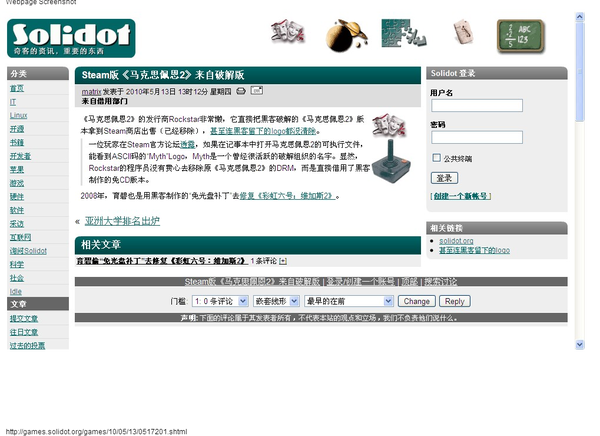
這樣的故事應該天天都在上演
主管: "你去移除 Max Payne 2 的保護"
員工: "這個 source code 要去那邊下載呀"
主管: "這邊有份文件, 你照做就好了"
richliu 發表在 痞客邦 留言(2) 人氣(364)
碰到這樣的 Message
> the location of the previous definition
> fio.c:150:35: error: macro "offsetof" requires 2 arguments, but only 1 given
> fio.c: In function 'setptr':
> fio.c:150: error: 'offsetof' undeclared (first use in this function)
> fio.c:150: error: (Each undeclared identifier is reported only once
> fio.c:150: error: for each function it appears in.)
> fio.c:137: warning: ignoring return value of 'fwrite', declared with attribute
> warn_unused_result
> fio.c: In function 'putline':
> fio.c:191: warning: ignoring return value of 'fwrite', declared with attribute
> warn_unused_result
> make: *** [fio.o] Error 1
richliu 發表在 痞客邦 留言(1) 人氣(438)